Seekee - Ai Search & Assistant
- 4.7
- Rating
- 100.00M
- Installs
- Free
- Price

 Analysis by App-foxy
I approached Seekee as a practical tool rather than another chatbot to open once, ask a novelty question, and forget. Its purpose is broader: it brings AI-assisted search, creation, learning, and entertainment into one place. That combination makes it interesting for people who regularly move between finding information, turning rough ideas into something usable, and asking follow-up questions in plain language.
My first impression was that its value depends less on one spectacular answer and more on how deliberately I use it. A quick question is easy, but the better experience comes from giving the app a clear job: compare options, simplify a difficult subject, shape an idea, or help me decide what to investigate next. In that role, it feels closer to an AI search assistant than a conventional search box.
Seekee is a free app in the Tools category, developed by Seekee Ltd. It has reached over 100 million installs and holds a 4.7 average from around 991 thousand ratings, which tells me it has moved well beyond the experimental stage. It is aimed at Teen users, and the current Android release is version 2.14.0, supporting Android 7.0 and later.
You May Also Like

 Pandora - Music & Podcasts
Pandora’s Music Is Easy to Start, but Harder to Recover
Pandora’s strength is its low-effort path from a seed to a station. Its weak spot is how much confidence it asks you to place in connection, setup, and quiet recovery.

 8 Ball Pool
8 Ball Pool Is Built on Rivalries, Rematches, and Routine
A close look at the rivalries, rematches, shared routines, and unanswered safety questions that turn a quick pool match into a persistent mobile community.

 Samsung Music
Samsung Music’s Quiet Strength Is Playing What You Already Own
Its reach comes less from spectacle than from dependable access to a personal library. That simplicity is both the app’s strongest retention engine and its ceiling.

 AccuWeather: Weather Radar
AccuWeather Review: A Quick, Clear Forecast for Everyday Decisions
For everyday plans, the best forecast is the one you can understand quickly. AccuWeather makes rain timing, radar, and local conditions easy to act on, with a few trade-offs.

 Hill Climb Racing
Why Hill Climb Racing Still Turns Crashes Into One More Run
A tiny car, a bumpy hill and one more upgrade: Hill Climb Racing keeps resurfacing because its simple chaos makes every near-miss feel personal.

 AliExpress - Shopping App
AliExpress Makes Global Shopping Feel Personal, but Shoppers Bear the Risk
AliExpress turns a global marketplace into a pocket-sized discovery engine. Its reach is useful, its shopping loop compelling, and its trade-offs easy to miss.
More From Our News Desk
View All News


How I use Seekee for a dependable everyday workflow
The most reliable way to begin is with a short, specific request. Instead of typing “learn photography,” I would ask for a beginner plan focused on taking indoor photos with a phone, then follow up by asking for a checklist I can actually use. That change matters because an AI assistant can respond to an objective much better than to a broad topic.
I also treat the first answer as a starting point, not a final authority. When the subject involves current events, purchases, health, money, or anything important, I check the details through trustworthy sources. Seekee can help me identify the questions I should ask and organize what I find, but a fluent response is not automatically proof that every statement is correct.
A useful baseline routine is to separate discovery from production. First, I ask for an overview or comparison. Next, I challenge the answer by requesting assumptions, drawbacks, or the strongest alternative. Only after that do I ask for a finished output such as a study outline, a packing list, a draft message, or a set of ideas. This prevents me from polishing a weak premise.
For example, imagine I am planning a weekend visit to a city I do not know. I might begin by asking what kinds of neighborhoods suit a quiet trip, then request a compact itinerary, then ask what could make that plan impractical. The final step is especially useful because it exposes trade-offs such as travel time, opening hours, weather, or an itinerary that is simply too ambitious. I still verify practical details elsewhere, but the conversation helps me think in a more organized way.
The same approach works for learning. I can ask Seekee to explain a concept in everyday language, then request an analogy, a short quiz, and an explanation of the mistakes I make. The important habit is to make each prompt build on the previous one. Asking unrelated questions one after another makes the app feel like a collection of answers; keeping a clear thread makes it feel more like a tutor.
Creation is another area where I found a staged workflow more effective than asking for a perfect result immediately. I would start with audience, purpose, tone, and length. Then I would request several possible structures, choose one, and ask for a draft. Finally, I would ask for a critical edit that points out repetition, unsupported claims, or places where the wording sounds unnatural. That last pass is where an AI assistant becomes more useful than a basic search engine.
There is a practical trade-off here. Convenience is the main attraction of an all-in-one tool, but a dedicated app may still be better for a specialized task. A note-taking service is usually stronger for long-term organization, a traditional search engine is often better when I need to inspect many source pages, and a focused educational platform may provide a more structured course. Seekee earns its place when I want to move quickly between searching, questioning, learning, and drafting without changing tools.
What I check before relying on an answer
I pay attention to the wording of the request. If I need factual accuracy, I ask for a concise answer with the key points separated from interpretation. If I need ideas, I say that creativity matters more than certainty. If I need a decision, I include constraints such as budget, time, experience, or location. These details reduce vague suggestions and make the response easier to judge.
I also ask for a distinction between known information, reasonable inference, and recommendation. This is a simple but valuable prompt pattern because it stops a polished opinion from blending into a fact. When the response is important, I ask what could be wrong with it and what evidence would change the conclusion. That turns a passive answer into a small review process.
Another helpful habit is to request the output in the format I will use next. A long explanation is not useful when I need a shopping checklist. A paragraph is inconvenient when I need a comparison. A list of ideas is not enough when I need a message I can edit. Asking for the final shape early saves time and makes it easier to spot missing information.
Settings, shortcuts, and repeatable habits that improve the experience
Because Seekee combines several types of activity, I would spend a few minutes checking its available settings rather than accepting every default. The exact choices can vary by platform and release, but the principle is consistent: review how the app handles notifications, account-related options, language, and any controls that affect the way results are presented. A tool used for both casual questions and serious research should fit my routine instead of interrupting it.
I would also look at purchase-related controls before using the app regularly. Seekee is free to install and use, while in-app purchases range from $0.99 to $99.99 per item. That does not automatically make the app poor value, but it does make it sensible to understand which actions are included and which may lead to a paid option. On a shared device, I would be especially careful with purchase authentication so a curious tap does not become an unwanted charge.
The Teen content rating is another reason to use ordinary judgment about context. It makes the app suitable for a broad audience, but it does not mean every generated answer is ideal for every age or situation. Younger users may need guidance when using AI for schoolwork, personal decisions, or sensitive subjects. I see the rating as a useful boundary, not a substitute for supervision.
Notifications deserve a deliberate decision. If I use Seekee mainly for occasional research, I prefer a quiet setup so it remains an on-demand tool. If I use it as part of a study routine, reminders may be more useful, but only if they support a real habit. Unnecessary alerts can make an assistant feel demanding, particularly when the main benefit is supposed to be speed and convenience.
My favorite “shortcut” is not a hidden button; it is a reusable prompt structure. I keep the basic order in mind: goal, context, constraints, desired format, and quality check. For instance, I might ask for a three-part explanation, written for a beginner, using a specific example, followed by two common mistakes. This gives me a repeatable method without pretending that the app has an undocumented feature.
For recurring tasks, I would save a few prompt templates outside the app or in a notes tool. A weekly planning template could ask for priorities, time limits, dependencies, and a realistic fallback. A learning template could request an explanation, examples, a quiz, and corrections. A writing template could ask for audience, tone, structure, draft, and critical revision. The benefit is consistency: I can compare results from week to week instead of reinventing my request each time.
One subtle advantage of this approach is that it exposes whether Seekee is actually helping. If I repeatedly need to rewrite the same request or correct the same type of mistake, the problem may be the workflow rather than the answer. I can then narrow the task, provide better context, or switch to a more specialized app. That is a healthier way to judge an AI tool than assuming every weak result is a failure of intelligence.
Faster patterns for people who use it often
When I am in a hurry, I do not ask for a large finished response. I ask for the next useful step. “Give me the three decisions I need to make first” is often more practical than “solve this entire problem.” Once those decisions are clear, the follow-up prompts become shorter and the final result is easier to trust.
For comparisons, I ask Seekee to use the same criteria for every option. Without that instruction, an answer may praise one choice for convenience and another for quality without giving me a fair basis for comparison. I also ask it to identify who should choose each option, not merely which one appears best overall. This is particularly helpful when the “best” answer changes according to experience, time, or budget.
For brainstorming, I separate quantity from selection. First I request varied ideas, including safe, unusual, and low-effort versions. Then I ask for a shortlist based on my real constraints. Mixing those stages too early often produces bland suggestions because the assistant tries to be practical before it has explored enough possibilities.
For writing, I use the app as an editor rather than handing over my voice. I provide a rough paragraph and ask for clarity problems, missing context, and awkward transitions before requesting a rewrite. This preserves more of my intention and makes the result easier to recognize as my own. It also avoids the common problem of receiving smooth language that says something slightly different from what I meant.
For study, I ask for retrieval instead of repeated summaries. After reading an explanation, I request questions without answers, respond myself, and then ask for feedback. This is more demanding than asking the app to summarize the same material again, but it gives me a better indication of what I actually understand.
These patterns make Seekee faster because they reduce correction cycles. They also reveal an important limitation: the app cannot compensate for a missing objective. If I do not know whether I want speed, depth, originality, accuracy, or reassurance, the answer may be unfocused. The assistant can help clarify that choice, but I still have to make it.
Where the all-in-one approach reaches its limits
The biggest limitation is the same feature that makes Seekee appealing: breadth. An app that covers creation, learning, entertainment, and search has to serve many kinds of users, so it may not offer the depth of a tool built for one narrow job. I would not replace a serious research workflow, a professional writing environment, or a full project-management system with it.
Source awareness is another important consideration. For a casual explanation, a fast conversational answer may be enough. For a purchase, academic assignment, legal question, or medical concern, I want to inspect original sources and understand where claims come from. Seekee can help me frame the investigation, summarize material I provide, or generate questions, but I would not treat it as the only layer of verification.
There is also a privacy trade-off whenever I use an online AI service. I avoid entering passwords, private identification details, confidential work material, or information about another person that I would not willingly share with a digital service. Even when a prompt seems harmless, combining several personal details can create a more revealing picture than intended. Keeping requests general is a sensible habit.
Accuracy can vary with ambiguity. A question containing an unclear name, missing date, or unstated location may receive a confident but unsuitable response. I have learned to include the context that a human expert would normally ask for. If the answer still seems too certain, I ask it to list assumptions and explain what information would change the result.
Entertainment prompts are enjoyable, but I keep them separate from factual tasks. A creative answer can be imaginative and internally consistent without being true. That distinction matters when moving quickly between a story idea and a real-world question in the same session. I find it useful to label my own intention clearly: “be creative” and “be factual” are different instructions.
Performance expectations also need to be realistic. The app may save time on the first draft or initial search, but reviewing and refining the result remains part of the work. Anyone looking for a button that reliably produces a finished essay, perfect plan, or unquestionable answer will probably be disappointed. Seekee is more valuable as a thinking partner than as an automatic replacement for judgment.
For users who dislike subscriptions or optional purchases, the free entry point is attractive, but the in-app purchase range means I would still review the payment flow carefully. For users with older devices, Android 7.0 support is helpful, although the day-to-day experience can still depend on the phone, connection, and the complexity of the task. I would choose a simpler, specialized utility if I only needed one narrow function and did not want an AI layer involved.
My verdict after building a repeatable routine
I recommend Seekee to people who want one flexible place for questions, explanations, idea development, and everyday planning. Its strongest quality is not that it does one job better than every alternative. It is that I can move from “help me understand this” to “compare my options” to “turn that into a usable draft” without changing the basic conversation style.
The app becomes noticeably better when I use settings thoughtfully, keep purchase controls in mind, and rely on repeatable prompt patterns instead of random questions. Experienced users will get more from it by asking for assumptions, trade-offs, formats, and criticism. Those small habits make the difference between receiving a generic answer and getting something that fits the actual problem.
I would skip it if my needs are strictly specialized. Someone who only wants traditional web results may prefer a standard search engine. Someone managing complex documents may need a dedicated writing or note system. Someone studying a formal subject may benefit more from a structured course with authoritative material. Seekee is not a universal replacement, and pretending otherwise would set the wrong expectation.
For me, the best use is the middle ground: quick research, guided learning, early-stage creation, and decisions that benefit from organized thinking but still deserve human review. The free app makes experimentation easy, while the Teen rating and broad reach make it approachable for many users. Just remember that the polished response is the beginning of the process, not permission to stop checking.
Seekee is a strong choice when convenience matters and my tasks change throughout the day. I would keep it close for planning a trip, breaking down a difficult idea, testing a draft, or finding a better way to approach a problem. I would pair it with trusted sources and specialized tools whenever accuracy, privacy, or depth matters more than speed. Used that way, it feels less like a novelty and more like a practical AI assistant for everyday decisions and creation.
FAQs for Seekee - Ai Search & Assistant
01What is Seekee – AI Search & Assistant, and what can it do?
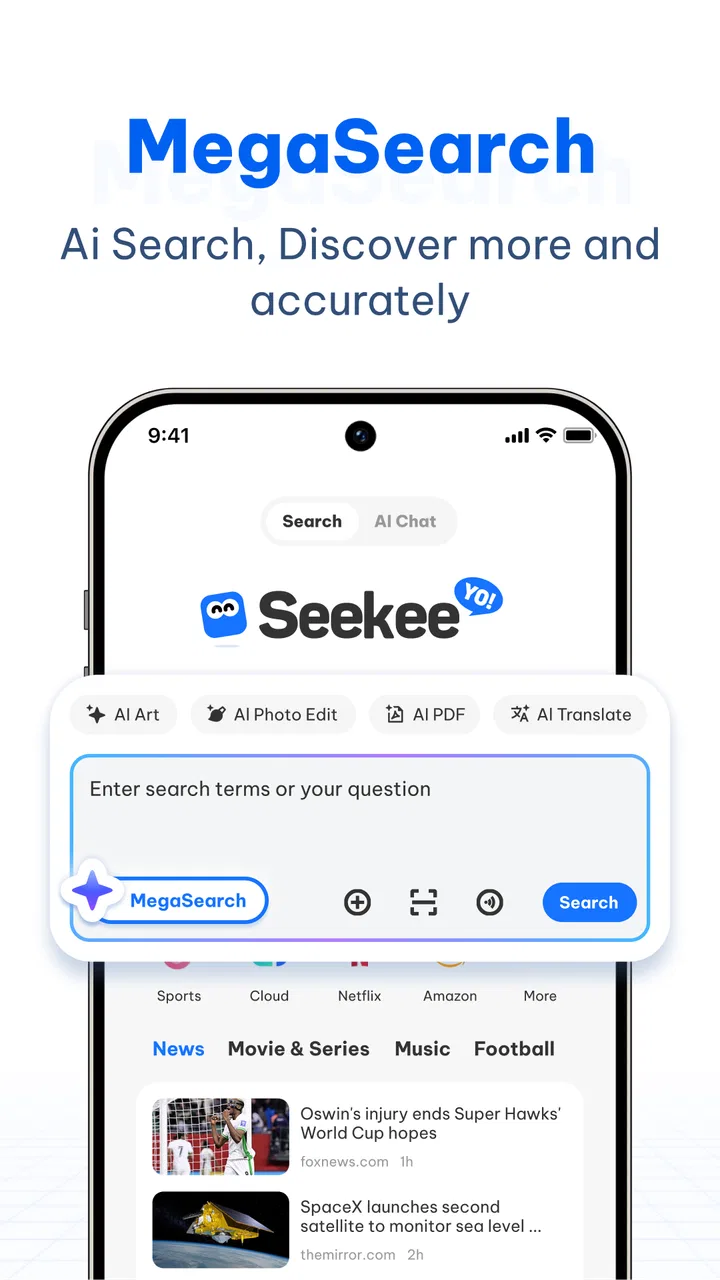
Seekee is an AI-powered search and assistant app designed to help you find information, summarize content, answer questions, and complete everyday tasks through conversational prompts. Instead of relying only on traditional search results, you can describe what you need in natural language and receive a more direct response. Its usefulness depends on the question, available features, and the quality of the information it can access.
02Is Seekee free to download and use?
Seekee may be available to download at no initial cost, but some tools, advanced AI features, usage limits, or premium services can require a subscription or in-app purchase. Before using it extensively, check the current pricing shown in the Google Play Store or App Store and review the subscription terms carefully. Also confirm whether free access includes enough daily requests for your needs.
03Does Seekee provide accurate and reliable answers?
Seekee can be helpful for explanations, summaries, brainstorming, and general searches, but its answers should not be treated as automatically correct. AI assistants may misunderstand questions, use outdated information, or produce confident-sounding mistakes. For medical, legal, financial, academic, or other important decisions, verify the response with trustworthy sources or a qualified professional before acting on it.
04What personal information does Seekee collect?
Because Seekee processes searches and conversations, the information you enter may be handled by the app, its service providers, or the AI systems that power its responses. Avoid submitting passwords, payment details, private documents, or sensitive personal data unless you understand the app’s privacy practices. Before installation, read the latest privacy policy and review the permissions requested on your device.
05Does Seekee work on both Android and iPhone?
Seekee’s availability can vary by platform, country, device model, and operating-system version. Check the official Google Play Store or Apple App Store listing for compatibility before downloading. You should also confirm the developer name, recent update date, required permissions, and user reviews, since features may not be identical on Android and iOS and some functions may be introduced gradually.
Pros
- Combines web search
- chat
- and writing help in one mobile app.
- Natural-language queries make complex searches easier to phrase.
- Can help summarize information and generate quick ideas.
- Useful for brainstorming
- planning
- and everyday questions.
- Clean interface makes the main AI tools easy to access.]
Cons
- AI answers may occasionally be inaccurate or lack important context.
- Some advanced features may require a subscription or usage limits.
- Search results can be less transparent than browsing websites directly.
- Privacy concerns may arise when entering personal or sensitive information.
- Heavy AI use can consume mobile data and battery quickly.

Seekee - Ai Search & Assistant
Gallery